

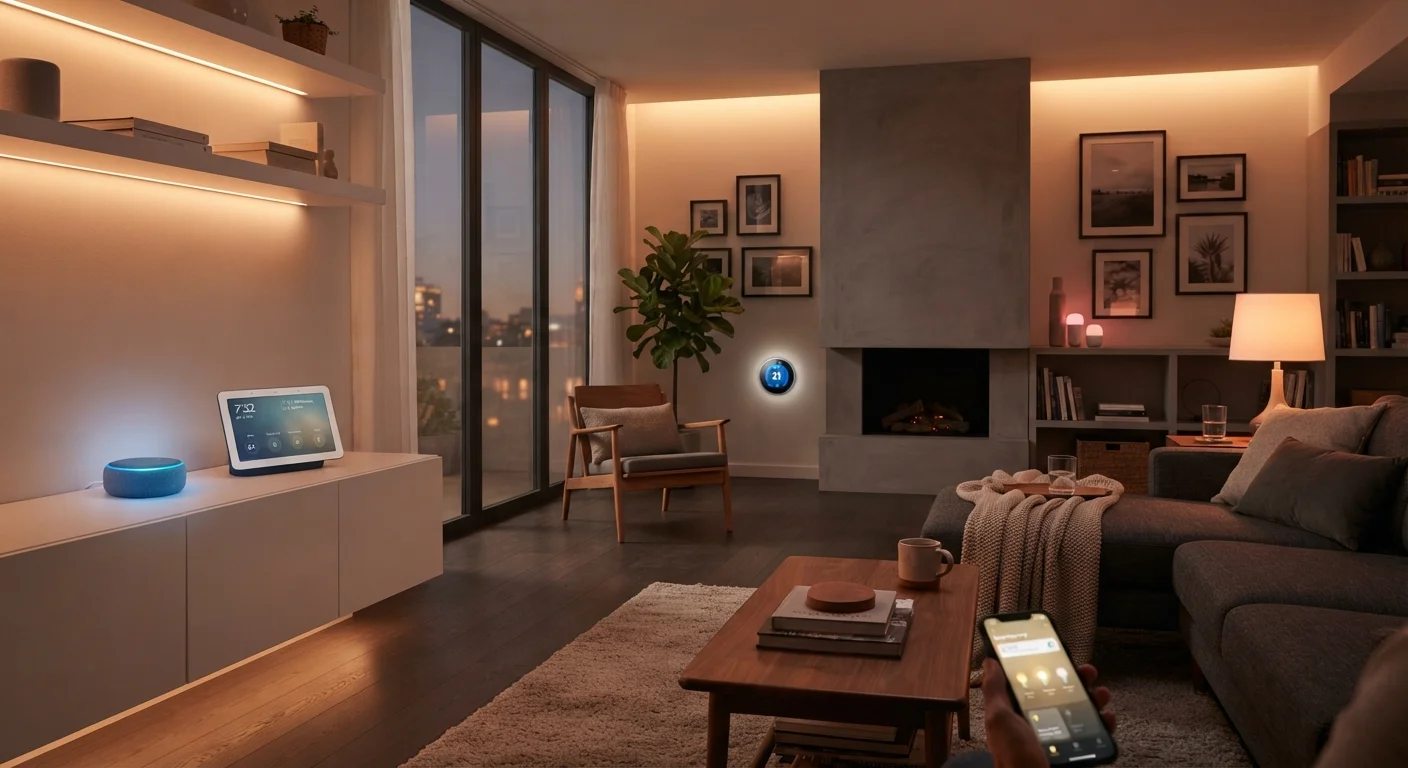
What Makes a Device 'Smart'
A device earns the label "smart" when it gains the ability to connect to a network - typically your home Wi-Fi - and can be monitored, controlled, or automated beyond what a conventional appliance allows. A standard light switch has two states: on and off. A smart light switch can be scheduled, dimmed, triggered by motion, or switched remotely from your phone while you're traveling.
The intelligence in these devices comes from a combination of embedded processors, wireless radios, and software - either running locally on the device or through a manufacturer's cloud service. This is what separates a smart thermostat from a programmable one: a smart thermostat can learn your schedule, detect when you leave the house, and adjust accordingly, without you manually programming every scenario.
For a broader look at how these gadgets fit into everyday life, see our content hub on everyday gadgets.
How Smart Devices Communicate
The ability of smart devices to "talk" to each other - and to you - depends on the wireless protocol they use. Here are the most common ones you'll encounter:
- Wi-Fi: The same network your laptop and phone use. Offers long range and high data speeds, but can strain a crowded home network and tends to consume more power.
- Zigbee and Z-Wave: Low-power mesh protocols where devices relay signals to each other, extending network reach. These typically require a compatible hub to bridge communication to your smartphone.
- Bluetooth: Short-range and low-power, often used for devices like smart locks or speakers that work in close proximity.
- Matter: A newer, cross-platform standard designed so devices from different manufacturers work together without compatibility headaches.
When devices use the same protocol and ecosystem, they can trigger each other automatically - for example, a smart motion sensor detecting movement and instructing smart lights to turn on.
4+
Average smart devices per US household
Research from Parks Associates has consistently found that connected device adoption per household in the US has grown steadily through the early 2020s.
Matter
Devices now supporting cross-brand standard
The Matter 1.0 standard, overseen by the Connectivity Standards Alliance, was officially released in late 2022 with support from major smart home platform providers.
3
Main wireless protocols in common household use
Wi-Fi, Zigbee, and Z-Wave remain the three most prevalent protocols found in consumer smart home products available in the US market.
Common Categories of Smart Home Devices
Smart home technology spans nearly every room and function in a home. The most widely adopted categories include:
- Smart Speakers and Displays
- Voice-activated devices that play music, answer questions, set timers, and act as control hubs for other connected gadgets. Smart speakers, smart displays, and voice assistants differ in meaningful ways worth understanding before you choose one.
- Smart Thermostats
- Learn household patterns and adjust heating and cooling automatically, potentially reducing energy use over time.
- Smart Lighting
- Bulbs, switches, and strips that can be scheduled, dimmed, or color-changed via app or voice command.
- Smart Locks and Security Cameras
- Allow keyless entry, remote locking, and live video monitoring of your property from a smartphone.
- Smart Plugs
- Plug into any standard outlet and make ordinary lamps or appliances remotely controllable - an easy entry point for beginners.
Start With One Room or Use Case
If you're new to smart home technology, begin with a single category - smart bulbs in the living room or a smart plug for a lamp - before expanding. This lets you learn how an ecosystem works, test compatibility with your existing devices, and build confidence before investing in more complex setups.
How Devices Work Together as a System
Individual smart devices become significantly more useful when they're connected into a unified system. This is often called an ecosystem or platform - a shared environment where devices from the same family (or compatible third-party devices) can communicate and be managed from one app or voice assistant.
Automation is where the real power lies. You might set a routine where arriving home automatically unlocks the front door, adjusts the thermostat, and turns on specific lights - with no manual action required. These routines are typically set up through a smartphone app and can be as simple or complex as you prefer.
A smart home hub plays a critical role when you have devices from different brands or using different protocols. It acts as a translator and coordinator, unifying otherwise incompatible devices under one interface. With the growing adoption of the Matter standard, however, many newer devices are increasingly capable of working together without a dedicated hub.
For a practical walkthrough on building your first setup - including which device categories to start with - see our first-timer's complete orientation to smart home devices.
Privacy Considerations With Smart Devices
Many smart home devices collect usage data and may store recordings or activity logs on manufacturer servers. Before purchasing, review the device's privacy policy to understand what data is collected and how it is used. Placing smart devices on a dedicated network segment - separate from computers and phones - is a widely recommended security practice.
Frequently Asked Questions
Most smart home devices require an internet connection for remote control and cloud-based features. However, some devices using local protocols like Zigbee or Z-Wave can still operate within your home network even if your internet goes down, depending on how they're configured.
A smart home hub is a central device that connects and coordinates multiple smart devices, especially those using different wireless protocols. You may not need one if all your devices use Wi-Fi and work within the same app ecosystem, but a hub becomes valuable when mixing brands or protocols.
Security varies by manufacturer and device. Best practices include using strong, unique passwords, keeping device firmware updated, and placing smart devices on a separate guest network from your primary computers. Review the privacy policy of any device before connecting it to your home.
Matter is an industry-wide connectivity standard backed by major tech companies that allows smart home devices from different brands to communicate reliably. It aims to reduce the frustration of incompatible ecosystems and simplify setup for consumers.
Yes. Many modern smart home devices are designed for straightforward setup through a smartphone app, with step-by-step instructions. Starting with a single device category - like smart bulbs or a thermostat - is a manageable way to get familiar with the technology.
The content on this site is for informational purposes only and is not a substitute for professional advice. Always consult a qualified professional for guidance specific to your situation.