

Our Verdict
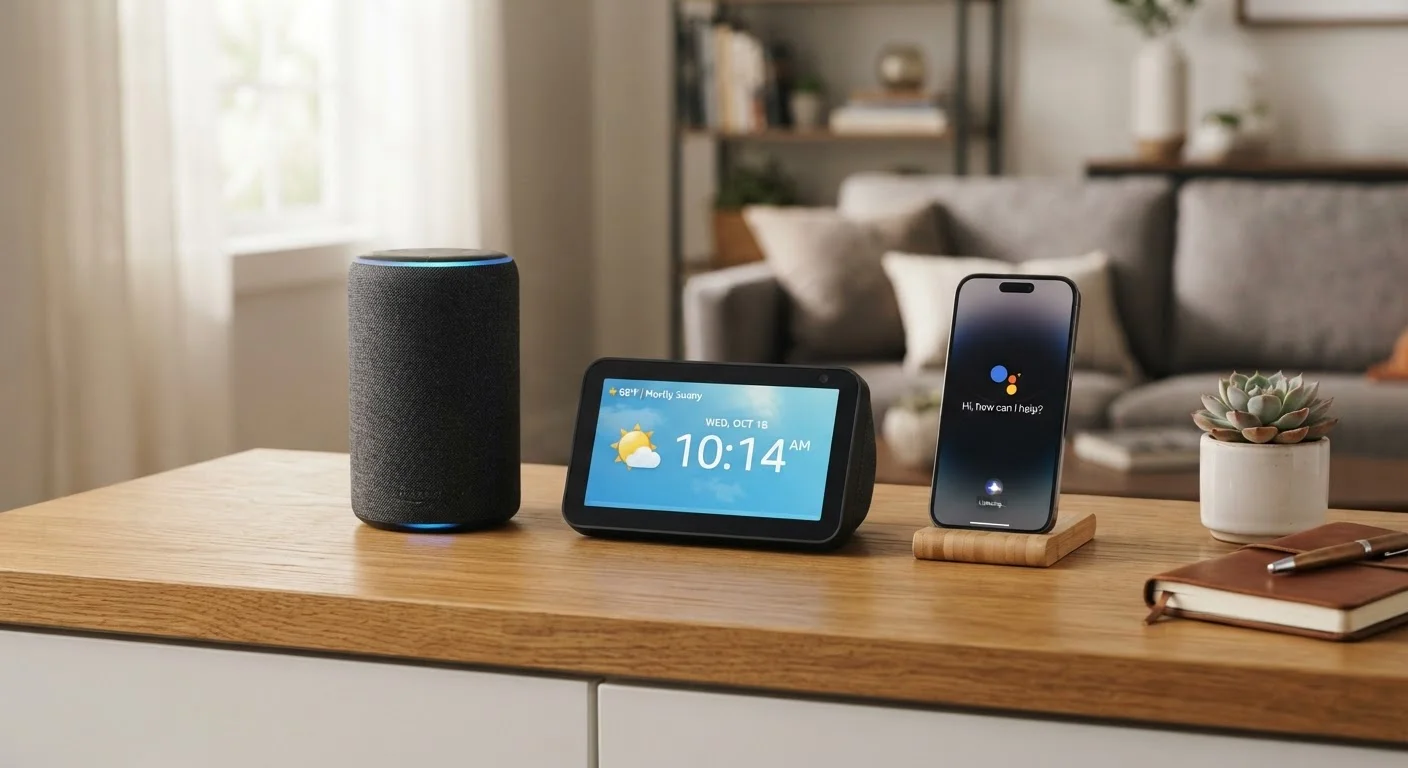
Smart speakers, smart displays, and voice assistants are closely related but serve meaningfully different purposes. A smart speaker fits households that want a compact, audio-driven hub for music and quick commands. A smart display suits anyone who benefits from visual feedback - recipes, video calls, or a digital photo frame. The voice assistant software underneath both is what actually determines how capable and compatible your device will be with the rest of your home.
| Best for | Recommended |
|---|---|
| Listeners and quick-command users who want minimal counter footprint | Smart Speaker |
| Households that want video calls, visual recipes, or a dashboard display | Smart Display |
| Anyone who wants voice control across multiple devices without dedicated hardware | Built-in Voice Assistant (phone or TV) |
Understanding the Three Categories
The terms smart speaker, smart display, and voice assistant are often used interchangeably, but they describe distinct things. Getting clear on the differences helps you choose the right hardware - and avoid paying for features you'll never use.
A voice assistant is software: an AI-powered program that understands spoken natural language, processes requests, and delivers responses. Examples include Alexa, Google Assistant, and Siri. Critically, voice assistants are not tied to any single device - they run on phones, smart TVs, car infotainment systems, earbuds, and dedicated home hardware alike.
A smart speaker is a physical device built around a voice assistant. Its primary output is sound - a speaker array optimized for music, podcasts, and verbal answers to questions. There is no screen.
A smart display is essentially a smart speaker with a touchscreen added. It can do everything a smart speaker does, but it can also show visual information: step-by-step recipes, video calls, security camera feeds, and ambient photo slideshows. See our first-timer's complete orientation to smart home devices for broader context on where these gadgets fit into a connected home.
How They Compare Across Key Dimensions
Each device type has a distinct profile across the factors that matter most to everyday households - sound quality, visual capability, privacy exposure, and price range. The table below maps those differences side by side.
| Smart Speaker | Smart Display | Voice Assistant (software only) | |
|---|---|---|---|
| Primary output | Audio (voice + music) | Audio + touchscreen visuals | Text, audio, or visual (varies by host device) |
| Screen | None | Built-in LCD or OLED | Depends on host device |
| Video calling | Not supported | Supported with camera | Supported via phone/tablet |
| Counter/desk footprint | Small to medium | Medium to large | No dedicated footprint |
| Typical use location | Bedroom, kitchen, shelf | Kitchen, office, living room | Phone, TV, car, earbuds |
| Always-on microphone | Yes | Yes | Configurable per device |
| Smart home control | Yes, voice-only | Yes, voice + touch | Yes, via connected devices |
One dimension worth unpacking is privacy. All three categories share the same foundational concern: a microphone that is always listening for a wake word. The voice assistant software - regardless of brand - determines what data is captured, how long it is retained, and what controls you have. Our article on what your connected devices collect walks through practical steps to limit your exposure.
Choosing Based on Where and How You'll Use It
Placement and daily habits should drive your decision more than spec sheets. Consider these common scenarios:
- Kitchen counter: A smart display earns its footprint here - you can glance at a timer, follow a recipe, or make a video call without touching the screen when your hands are messy.
- Bedroom nightstand: A compact smart speaker is usually enough. You need ambient music, alarms, and brief weather updates - not a bright screen at midnight.
- Living room: Either can work, but if you already have a smart TV with a built-in voice assistant, a separate device may duplicate functionality you already own.
- Home office: A smart display doubles as a secondary clock, calendar display, and video-conferencing device, making it the more versatile pick.
Match the Assistant to Your Existing Ecosystem
If your household already uses one platform heavily - say, Google services for calendar and email, or Apple devices across the board - choose a device whose built-in voice assistant integrates with that ecosystem natively. Mixing platforms is possible but often creates friction with smart home automations and calendar syncing. Checking compatibility before you purchase saves troubleshooting time later.
Before adding any of these devices, it pays to think through your broader home platform. Planning your whole-home smart device ecosystem before you buy ensures that your speaker or display will actually communicate with your lights, thermostat, and locks - rather than sitting in a separate, incompatible silo.
For a deeper look at what smart speakers do day-to-day beyond playing music, see our dedicated explainer: what smart speakers actually do.
The content on this site is for informational purposes only and is not a substitute for professional advice. Always consult a qualified professional for guidance specific to your situation.