

Why Planning Comes Before Purchasing
The promise of a smart home - lights that respond to voice, thermostats that learn your schedule, locks you can check from anywhere - is genuinely appealing. But many households end up with a collection of gadgets that don't communicate with each other, require four separate apps, and create more friction than they solve.
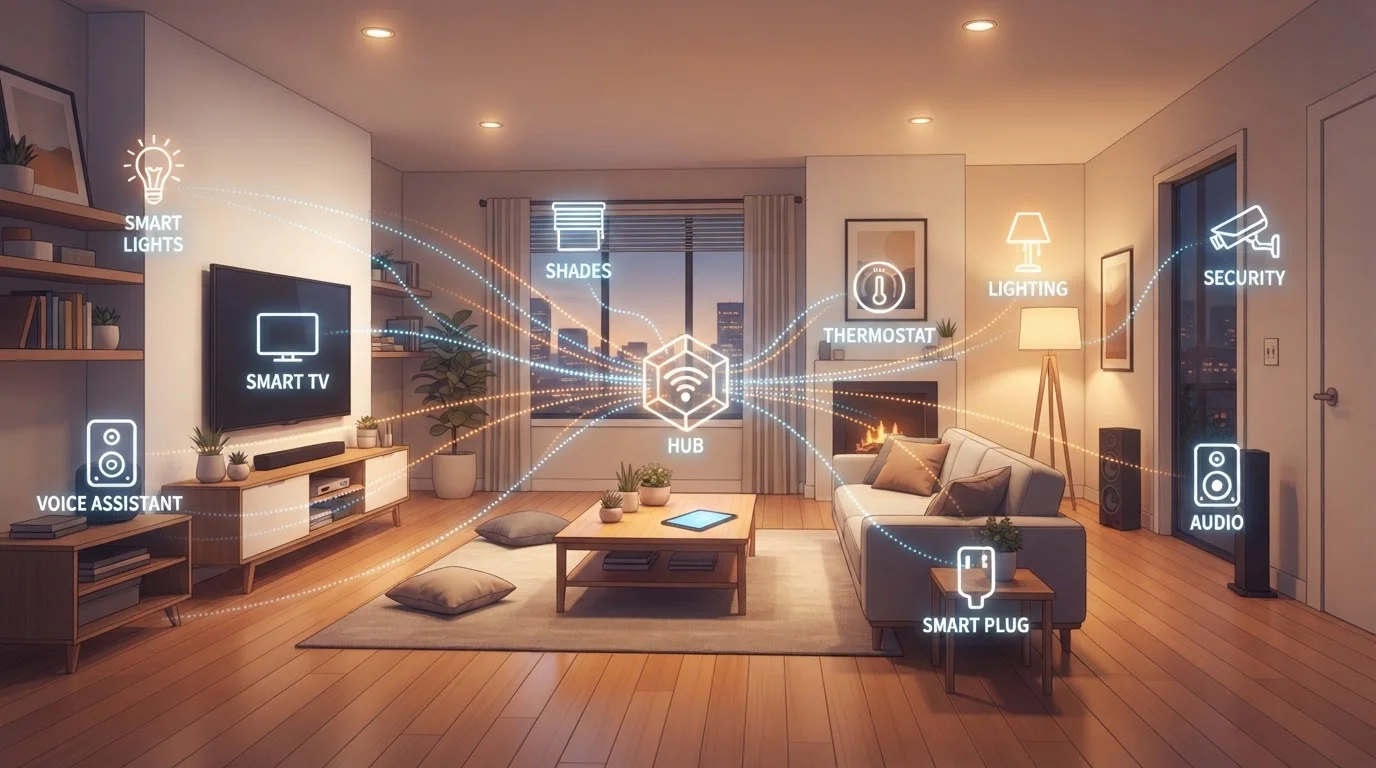
The root cause is almost always the same: devices were added one at a time, without a plan. Avoiding that trap requires thinking at the ecosystem level before you add the first device. An ecosystem, in this context, means the combination of a central platform, a communication protocol, and individual devices that all share a common language.
For a grounding in what individual smart devices actually do before thinking at the system level, see Smart Home Devices Explained. And if you're weighing overall value against necessity, Smart Shopping From the Ground Up offers a useful framework for any major tech purchase.
57%
US households with at least one smart device
According to Statista research, more than half of American households owned at least one smart home device as of recent years.
4+
Average apps needed without ecosystem planning
Industry observers note that consumers who add devices without a central platform strategy frequently manage four or more separate control apps.
Matter
Open interoperability standard launched in 2022
The Matter standard, developed by the Connectivity Standards Alliance, was released in late 2022 with support from major platform providers.
Understanding Communication Protocols
A communication protocol is the technical language devices use to send and receive instructions. Most smart home devices use one of four main protocols:
- Wi-Fi: Devices connect directly to your home network. Easy to set up, but each device draws on router bandwidth and can strain congested networks.
- Zigbee: A low-power mesh protocol where devices relay signals to each other, reducing dependence on your router. Requires a compatible hub.
- Z-Wave: Similar to Zigbee in mesh structure, operates on a different radio frequency that reduces interference. Also hub-dependent.
- Matter: A newer, open standard backed by major industry players. Designed specifically to let devices from different manufacturers work together across platforms.
Matter is worth understanding in particular because it directly addresses the compatibility fragmentation that has frustrated smart home users for years. A Matter-certified device is designed to work with multiple ecosystems simultaneously, giving you more flexibility over time.
Before buying any device, search its model number alongside your intended platform name to confirm native support - not just third-party workarounds. Native integration is far more stable over time.
Third-party integration bridges often break when either the device manufacturer or the platform releases a firmware update, leaving you with a non-functional device until a patch arrives.
Prioritize Matter-certified devices when choosing between otherwise similar options. The certification is your best insurance against being locked into a single ecosystem forever.
Matter's cross-platform design means a certified device can work with Alexa today and HomeKit tomorrow, preserving flexibility as platforms evolve.
Choosing Your Central Platform
Your platform is the brain of your ecosystem - the app, voice assistant, or hub that ties devices together. The major options in the US market include Amazon Alexa, Google Home, Apple HomeKit, and Samsung SmartThings. Each has different strengths:
- Alexa and Google Home have broad device compatibility and strong voice control.
- Apple HomeKit has stricter certification requirements, which generally translates to tighter privacy controls, but a narrower device selection.
- SmartThings supports Zigbee and Z-Wave natively, making it a strong choice for non-Wi-Fi devices.
The most important question isn't which platform is objectively best - it's which one fits your existing devices and the habits of everyone in your household. If your family already uses iPhones heavily, HomeKit may integrate most naturally. If voice control is a priority, Alexa or Google's ecosystem may be more practical.
For first-time smart home planners, Smart Home Devices: A First-Timer's Complete Orientation walks through how hubs, thermostats, and locks fit into a beginner setup.
Test Platform Compatibility Before Committing
Download the app for your intended platform and explore its device compatibility list before purchasing anything. Most major platforms publish searchable lists of certified devices. Doing this research upfront takes less than 30 minutes and can prevent weeks of troubleshooting frustration.
Mapping Your Home's Infrastructure
Before adding devices, assess your home's physical and network infrastructure. Two factors matter most: router coverage and electrical wiring.
Wi-Fi-dependent devices only work reliably within strong signal range. In larger homes or those with thick walls, a mesh network system - where multiple router nodes blanket the home - is often necessary rather than optional. Dead zones don't just slow down streaming; they render smart devices unresponsive at the worst moments.
Wiring matters for devices like smart switches and dimmers, which often require a neutral wire that older homes may not have in every switch box. Checking this before purchasing avoids a frustrating installation discovery. For a deeper look at how your network infrastructure affects everything connected to it, Wired vs. Wireless Home Networks covers the trade-offs in practical terms.
Check Wiring Before Buying Smart Switches
Many smart light switches require a neutral wire to function - a wire not present in all older US homes. Before purchasing smart switches, turn off the breaker and check your existing switch box, or have an electrician verify compatibility. Installing an incompatible switch can trip breakers or damage the device.
Privacy and Security Considerations
Smart devices are, by definition, networked - which means they transmit data. What data, to whom, and how it's stored varies considerably by manufacturer. Microphones in smart speakers, cameras in doorbells, and usage logs from thermostats all represent data streams leaving your home.
Before adding a device, it's worth reviewing its privacy policy for specifics: Does it store recordings locally or in the cloud? Can you delete collected data? Does it share data with third parties? These aren't hypothetical concerns - they're decisions that affect your household's digital footprint on an ongoing basis.
For a practical breakdown of what connected devices actually collect and how to limit exposure, Smart Home Privacy is a useful companion to this planning guide.
Default Device Settings Are Rarely the Most Private
Most smart devices ship with data collection and cloud storage enabled by default. Take time during initial setup to review privacy settings, disable unnecessary features like always-on microphones if not needed, and enable two-factor authentication on your platform account. These steps significantly reduce your household's data exposure.
Building Your Ecosystem in Stages
The most common mistake new smart home owners make is trying to automate too much at once. A better approach is to start with a single room or use case - perhaps smart lighting in the living room, or a connected thermostat - and live with it long enough to understand what genuinely adds value before expanding.
A practical staging sequence might look like this:
- Choose a platform and install its hub or primary app.
- Add two or three devices in one space and set up basic automations.
- Evaluate usability after 30 days before expanding to other rooms.
- Add Zigbee or Z-Wave devices only after confirming hub compatibility.
- Gradually build room-by-room, testing integrations as you go.
This staged approach also makes troubleshooting far simpler. When something doesn't work in a ten-device setup, isolating the problem is exponentially harder than in a three-device one.
Smart home technology touches nearly every category of household tech - from the everyday gadgets you use daily to connectivity decisions that ripple across your entire home. Treating the ecosystem as a system - rather than a wishlist - is what separates setups that genuinely improve daily life from ones that collect dust.
“The smart home isn't about the devices themselves - it's about the system they form together. Without interoperability, you don't have a smart home; you have a collection of smart appliances.”
— Stacey Higginbotham, Technology journalist and smart home analyst
The content on this site is for informational purposes only and is not a substitute for professional advice. Always consult a qualified professional for guidance specific to your situation.