

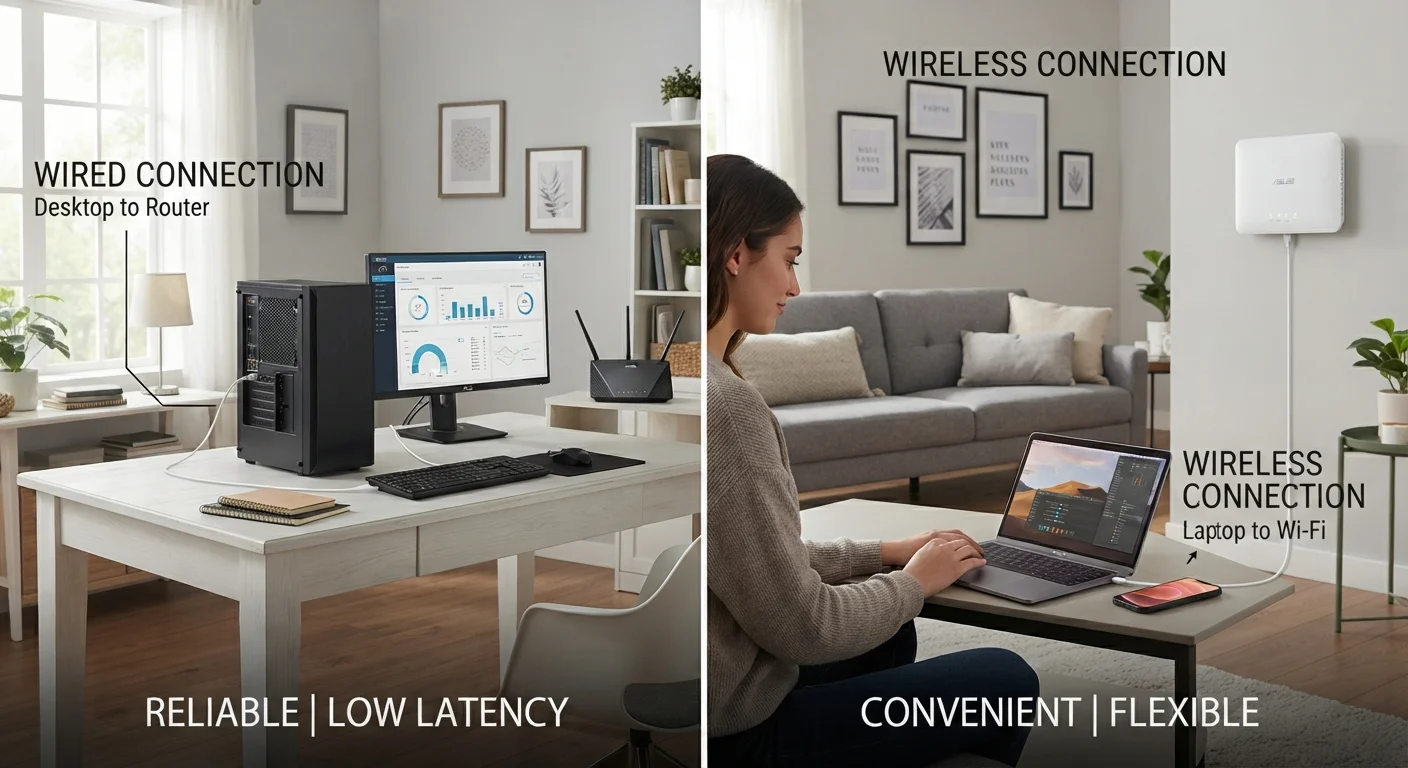
Option A
Wired (Ethernet) Network
The reliable, high-performance backbone of any serious home network.
Best for: Stationary devices like desktop computers, gaming consoles, and smart TVs that need consistent, fast speeds.
Option B
Wireless (Wi-Fi) Network
The flexible, cable-free connection that powers most modern households.
Best for: Laptops, smartphones, tablets, and smart home devices that move around the house.
How Each Connection Type Actually Works
A wired network uses physical Ethernet cables - typically Cat5e, Cat6, or Cat6a - to connect devices directly to a router or network switch. Data travels through the copper conductors in the cable at very high speeds with minimal interference. Because the signal has a dedicated, enclosed path, it doesn't compete with other wireless traffic in the air.
A wireless network (Wi-Fi) transmits data using radio frequency signals, most commonly on the 2.4 GHz and 5 GHz bands. Your router broadcasts these signals outward, and devices with built-in Wi-Fi adapters pick them up. The 2.4 GHz band travels farther but carries less data; the 5 GHz band is faster but loses strength more quickly over distance or through walls. Newer Wi-Fi 6 and Wi-Fi 6E standards have improved wireless throughput and the ability to handle many devices simultaneously. For a deeper explanation of basic network components, see our plain-English guide to home Wi-Fi.
| Criterion | Wired (Ethernet) | Wireless (Wi-Fi) |
|---|---|---|
| Typical speed potential | Up to 10 Gbps (Cat6+) | Up to ~9.6 Gbps (Wi-Fi 6, ideal conditions) |
| Real-world consistency | Very consistent, unaffected by interference | Variable; affected by distance and obstacles |
| Latency | Lower (1-5 ms typical) | Higher (10-50 ms typical) |
| Installation effort | Moderate to high; cables must be run | Low; router setup takes minutes |
| Device mobility | None; device must stay tethered | Full; works anywhere in signal range |
| Security | Harder to intercept; physically contained | Radio signals can be intercepted if unencrypted |
| Suitability for many simultaneous users | Excellent; dedicated bandwidth per device | Good with modern standards; degrades under load |
| Upfront cost | Higher (cables, tools, potentially labor) | Lower (router only in most cases) |
Speed, Latency, and Reliability: The Real Differences
In controlled conditions, modern Ethernet cables (Cat6 and above) can carry data at speeds up to 10 Gbps - far exceeding what most household internet service providers deliver to the home. That said, the meaningful advantage isn't just raw speed; it's consistency. Wired connections don't fluctuate based on how many neighbors are streaming simultaneously or whether your microwave is running near the router.
Latency - the time it takes for a data packet to travel from your device to its destination - is measurably lower over Ethernet than Wi-Fi. For everyday browsing, the difference is imperceptible. For real-time activities like online gaming or video calls, it becomes noticeable.
Wi-Fi performance varies considerably based on environment. Physical barriers like concrete walls and metal appliances absorb radio signals. Interference from neighboring networks sharing the same channel can slow things down. If you've noticed your connection dropping or slowing at peak hours, wireless congestion is a likely culprit. Common myths about Wi-Fi speed are worth reviewing before assuming your internet plan is the problem.
~30%
Typical Wi-Fi speed loss through one interior wall
Signal attenuation studies consistently show that standard drywall can reduce 5 GHz Wi-Fi signal strength by roughly 30%, with concrete walls causing far greater loss.
1-5 ms
Typical Ethernet latency in a home network
Network performance benchmarks show wired Ethernet latency on local networks consistently measures in the low single-digit milliseconds under normal load.
75+
Average connected devices per US household (projected)
Industry analysts have projected that the average US household could have over 75 connected devices by the mid-2020s, increasing demand on both wired and wireless infrastructure.
Installation, Cost, and Ongoing Maintenance
Setting up a wireless network is straightforward: plug in a router, configure it through an app or web browser, and your devices connect with a password. No tools required. For renters or people who move frequently, this flexibility is significant.
Wired networks require more planning. Running Ethernet cables through finished walls typically involves drilling, wall plates, and either DIY knowledge or a professional installer. In a new build or during a renovation, it's far easier to wire a home at that stage than to retrofit later. The upfront investment is higher, but cables are durable and require little attention over time.
For households that can't run cables through walls, powerline adapters and MoCA adapters offer a middle path - they use existing electrical or coaxial wiring to carry a network signal between rooms. Performance varies depending on home wiring quality, but both options can be more stable than Wi-Fi in interference-prone environments.
If your main concern is Wi-Fi dead zones in specific rooms rather than full wired infrastructure, targeted steps to extend your wireless coverage may solve the problem without any cabling at all.
Building a Setup That Actually Fits Your Home
The most practical home network for most households isn't purely wired or purely wireless - it's a hybrid. Desktop computers, gaming consoles, smart TVs, and NAS drives (network-attached storage) are strong candidates for Ethernet because they stay in one place and benefit from stable throughput. Phones, tablets, laptops, smart speakers, and IoT devices like thermostats and cameras are better served by Wi-Fi given their mobility and lower bandwidth demands.
If you're planning a smart home with many connected devices, it's worth thinking through network design before adding hardware. Planning your smart device ecosystem before purchasing can prevent compatibility headaches and network overload later. Similarly, everyday habits - firmware updates, router placement, channel selection - affect long-term performance regardless of connection type. Habits that quietly degrade your home network are worth reviewing to keep your setup running well over time.
If a single router can't cover your entire home wirelessly, consider whether a mesh system makes sense. Mesh Wi-Fi systems versus traditional routers is a direct comparison worth reading if you're evaluating that upgrade.
Security Considerations Worth Knowing
Wired connections are inherently more difficult to intercept because the signal is physically contained within the cable. Wireless signals, by contrast, radiate outward and can be detected by nearby devices. Modern Wi-Fi encryption standards - particularly WPA3 - significantly reduce this risk, but a properly secured wireless network is still more exposed than a wired one. If you're setting up a separate network for guests, a dedicated guest Wi-Fi network is a simple way to limit access to your primary devices.
The content on this site is for informational purposes only and is not a substitute for professional advice. Always consult a qualified professional for guidance specific to your situation.