

Our Verdict
For most households under 1,500 sq ft with straightforward layouts, a quality single router delivers reliable performance at a lower cost. Mesh systems earn their premium in larger homes, multi-story dwellings, or spaces with thick walls and persistent dead zones - where seamless roaming and consistent coverage matter most.
| Best for | Recommended |
|---|---|
| Apartments, condos, or smaller homes with open layouts | Traditional Single Router |
| Larger homes over 2,000 sq ft or multi-story houses with dead zones | Mesh Wi-Fi System |
| Budget-conscious households needing basic whole-home coverage | Router + Range Extender |
| Households with many simultaneous smart devices or remote workers | Mesh Wi-Fi System |
How Each System Actually Works
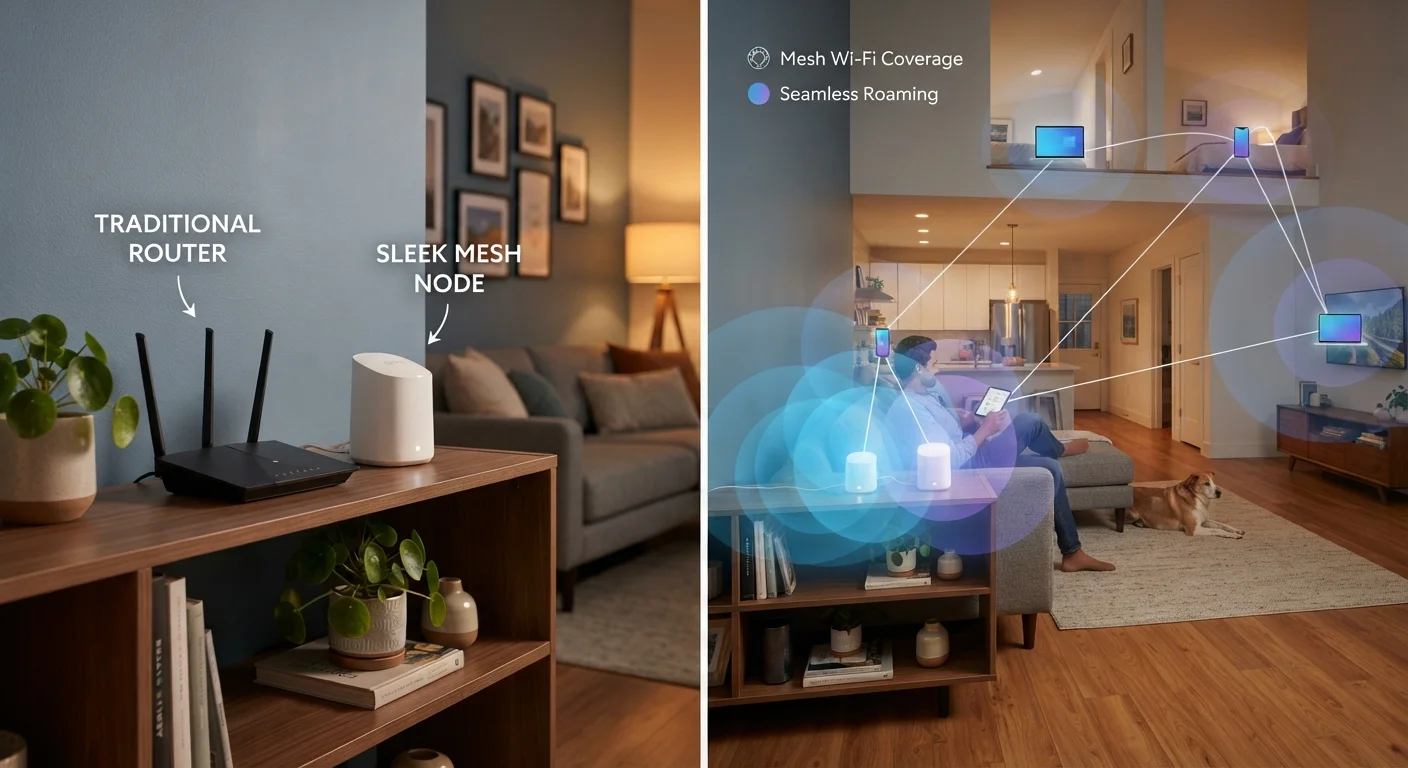
A traditional router is a single device that creates a wireless network from a central point in your home. All your devices connect to that one unit. Signal strength degrades with distance and obstacles - walls, floors, and appliances all absorb and deflect radio waves.
A mesh Wi-Fi system uses two or more nodes (small units placed around your home) that communicate with each other to form one unified network. Rather than one broadcast point, you get overlapping coverage zones. Your phone or laptop automatically hands off to the nearest node as you move through the house - without you noticing any interruption.
If you're new to home networking concepts altogether, our plain-English Wi-Fi guide covers the fundamentals before you commit to either approach.
| Traditional Router | Mesh Wi-Fi System | Router + Extender | |
|---|---|---|---|
| Typical upfront cost | $80-$200 | $200-$500+ | $100-$250 combined |
| Ideal home size | Under 1,500 sq ft | 1,500-5,000+ sq ft | 1,200-2,500 sq ft |
| Dead zone elimination | Limited | Excellent | Moderate |
| Seamless device roaming | No | Yes | Usually no |
| Setup difficulty | Moderate | Easy (app-guided) | Moderate |
| Ongoing management | Manual updates typical | Often automated | Manual updates typical |
| Network customization | High | Moderate | Moderate |
Coverage: Where the Real Differences Show Up
Coverage is where the two approaches diverge most sharply. A single router broadcasting from your living room may serve an apartment perfectly, but in a 2,500 sq ft two-story home, rooms at the far end - especially those separated by concrete, brick, or metal-framed walls - will often show weak signal or complete dropout.
Mesh nodes solve this by placing coverage sources closer to where you actually use devices. A node in the upstairs hallway, for example, serves bedrooms directly rather than relying on a signal that has passed through two floors and several walls.
Range extenders (also called Wi-Fi boosters) offer a cheaper middle ground, but they come with a meaningful catch: they typically create a separate network name, meaning your devices don't always switch cleanly between them. Mesh systems avoid this by presenting one unified SSID - the name you see when connecting - regardless of which node you're near. Common myths about Wi-Fi speed are worth reviewing here, since many households overestimate what a single router can deliver.
~30%
Signal loss through a typical interior wall
Wi-Fi signals lose roughly 30% of their strength passing through a standard drywall partition, with losses increasing significantly for concrete or brick.
2,500 sq ft
Common threshold where single routers struggle
Network engineers generally recommend mesh or multi-access-point setups for homes exceeding 2,500 square feet, particularly those with multiple stories.
Cost and Complexity: What You're Really Paying For
A capable single router typically runs between $80 and $200 for a home-grade unit. A mesh system covering the same household generally costs $200 to $500 or more, depending on the number of nodes and their capabilities. The price gap is real and worth weighing honestly against your actual coverage needs.
Setup complexity also differs. Modern mesh systems are engineered for non-technical users - most walk you through placement and configuration using a smartphone app. Traditional routers require accessing a web-based admin panel, which is less intuitive but gives more granular control over settings like port forwarding, guest networks, and parental controls.
Test Placement Before You Commit
If you're considering a mesh system, check whether your internet provider or a retailer offers a return window. Set up nodes, walk the full footprint of your home with a device, and verify coverage before the return period closes. Proper node placement - not too far apart, with line-of-sight where possible - has more impact on performance than the hardware spec sheet alone.
Ongoing maintenance deserves consideration too. Both systems need firmware updates to stay secure, but mesh platforms often handle these automatically in the background. For a deeper look at why neglecting updates causes problems, see our article on habits that quietly degrade your home network.
If your household includes remote workers, video streaming on multiple devices simultaneously, or a growing collection of smart home gadgets, mesh backhaul - the dedicated communication channel between nodes - helps prevent congestion that a single router managing all traffic alone cannot as easily handle. For households weighing wired connections too, wired vs. wireless network trade-offs is worth reading alongside this comparison.
The content on this site is for informational purposes only and is not a substitute for professional advice. Always consult a qualified professional for guidance specific to your situation.